History and types of operating systems
Interactive timeline from serial processing to cloud and mobile.
History and types of operating systems
Every OS feature was invented to fix the bottleneck of the generation before it. Step through the eras.
1940s – early 1950s · No operating system
Programs were entered with plugboards, switches or punched cards; output came on lights or a printer. Users booked the machine in time slots and did everything themselves.
Bottleneck: long set-up time (mount tapes, load compiler, load program) during which a very expensive machine computed nothing.
Idea that survives: none yet — but the need for automation is obvious.
1950s · Simple batch systems
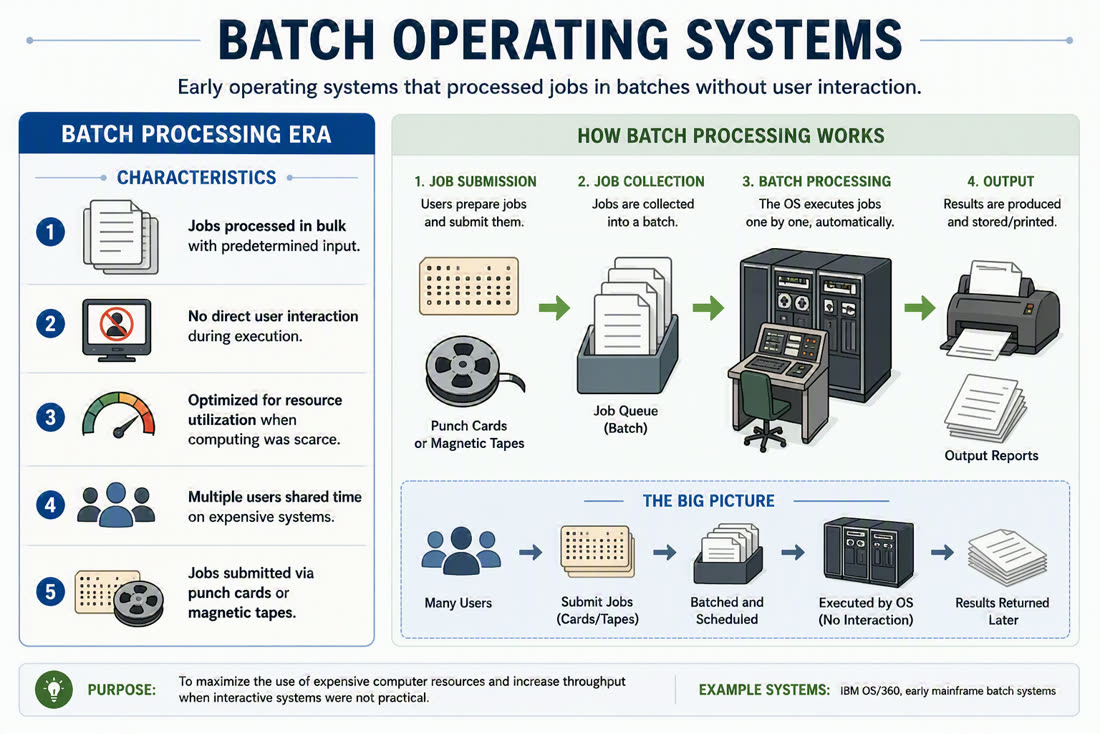
A resident monitor stays in memory. The operator stacks jobs with similar needs; the monitor reads job-control cards (JCL), loads each program, runs it and moves to the next automatically.
Bottleneck: CPU idle while slow card readers and printers do I/O.
Idea that survives: a program that always stays in memory and controls others — the kernel; batch jobs still exist (cron jobs, payroll runs, HPC queues).
1960s · Multiprogrammed systems
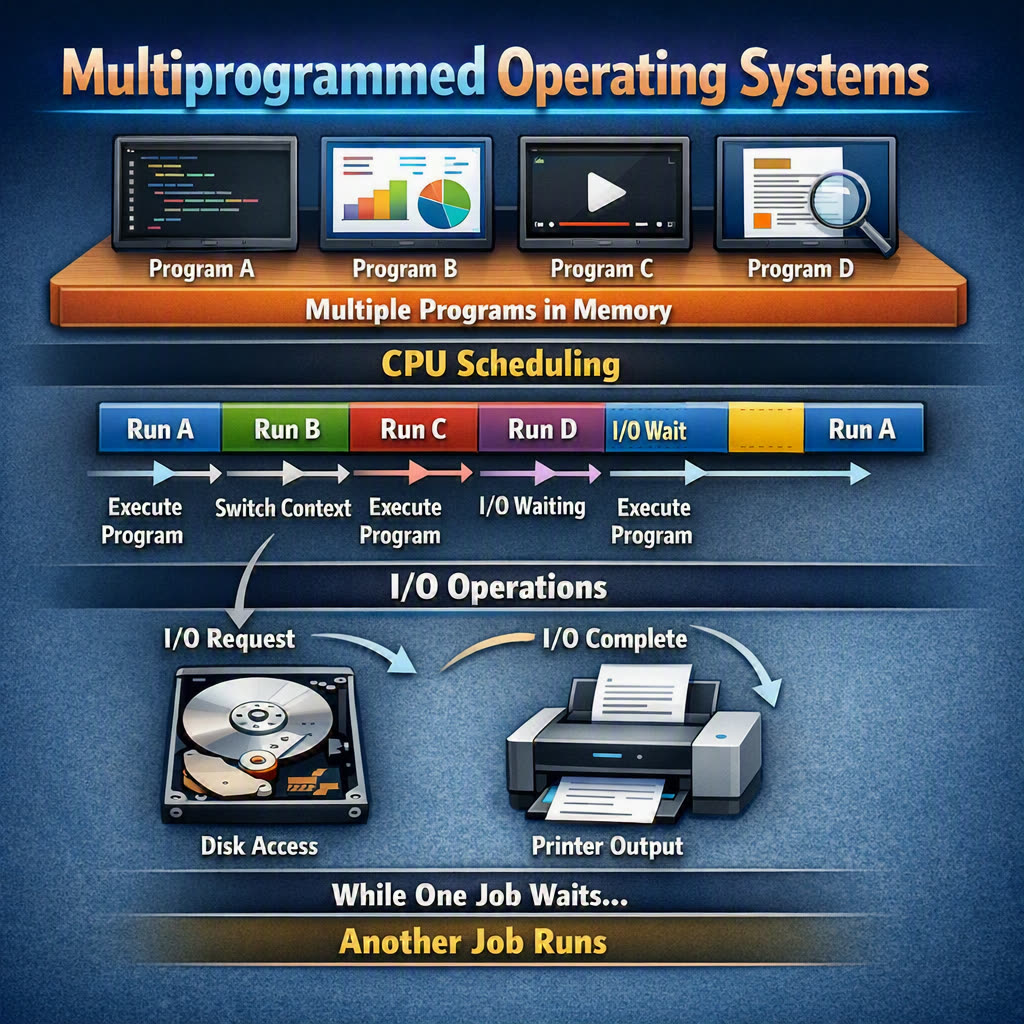
Keep several jobs in memory at once. When the running job waits for I/O, the OS switches the CPU to another job. Spooling overlaps the I/O of one job with the computation of others (IBM OS/360).
New requirements: CPU scheduling (Module 2), memory management (Module 4), protection between jobs (Module 5).
1960s – 70s · Time-sharing (multitasking)
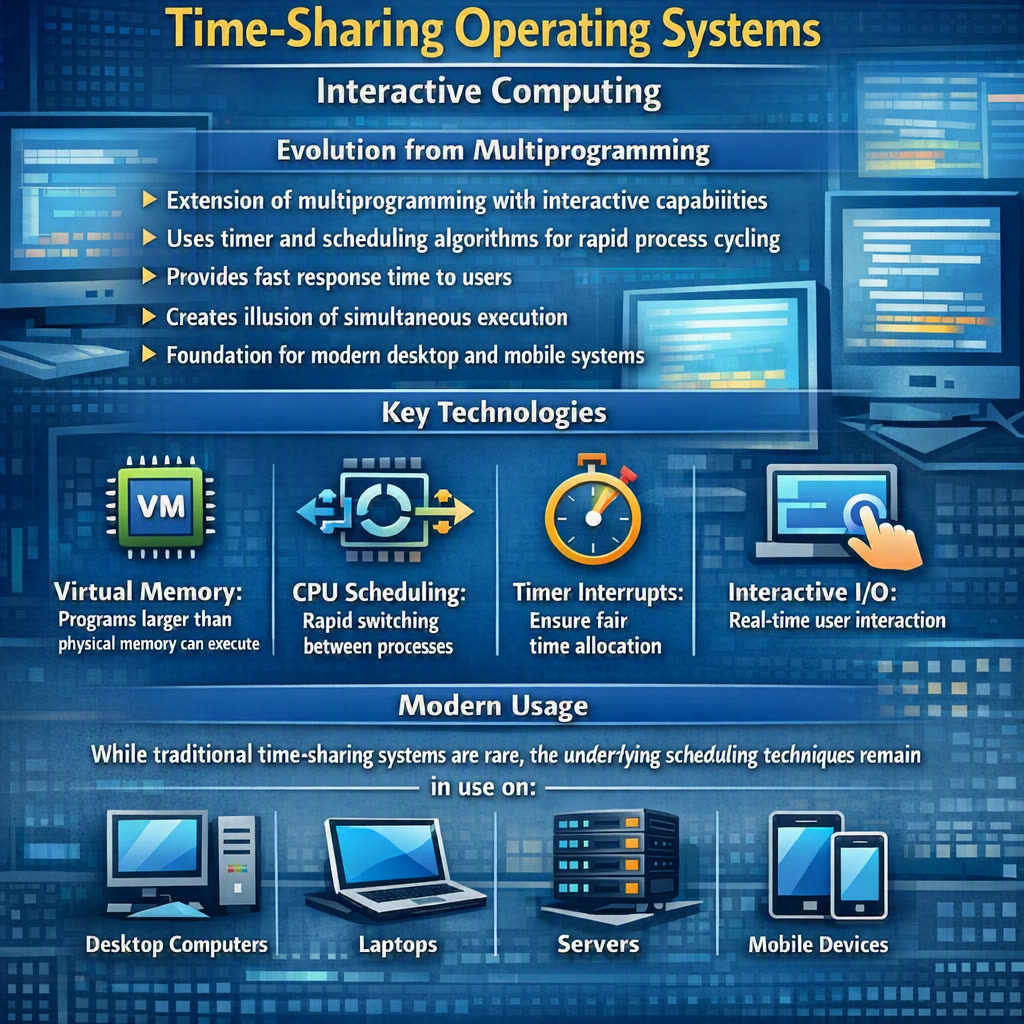
A logical extension of multiprogramming: the CPU switches between jobs on a timer, so often that each user at a terminal gets a response in well under a second (CTSS 1961, MULTICS 1965, UNIX 1969).
New requirements: response time, on-line file systems, per-user protection, virtual memory.
1980s · Personal computers
Cheap microprocessors gave every person a computer: MS-DOS (1981), Apple Macintosh with a GUI (1984), Windows. With one user, CPU utilization matters less than convenience and responsiveness. Early PC OSes even dropped protection — and later had to add it back when networks and malware arrived.
1990s · Networked and distributed systems
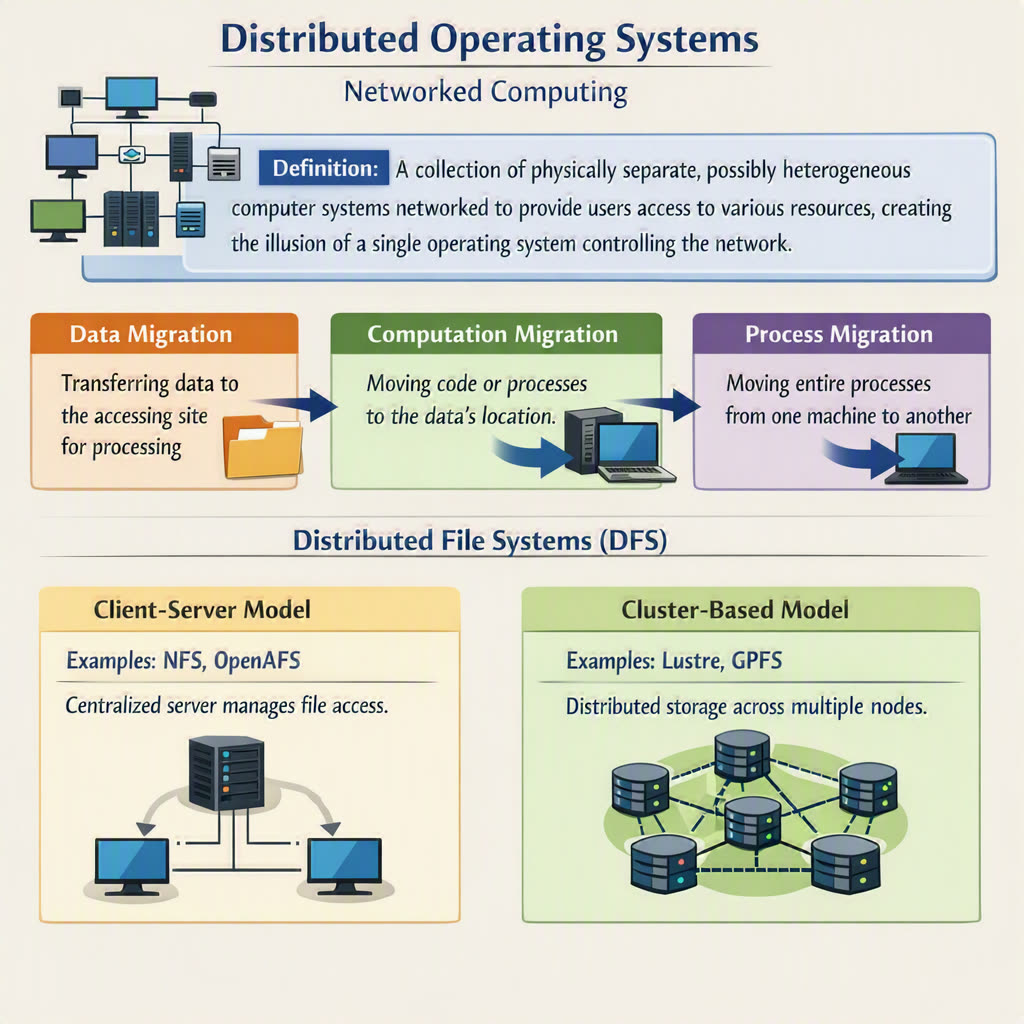
Linux (1991) and Windows NT (1993) bring protected multi-user kernels to PCs. A network OS shares files and printers between machines; a distributed OS makes many machines look like one, for resource sharing, speed-up and reliability.
Real-time, embedded and mobile systems
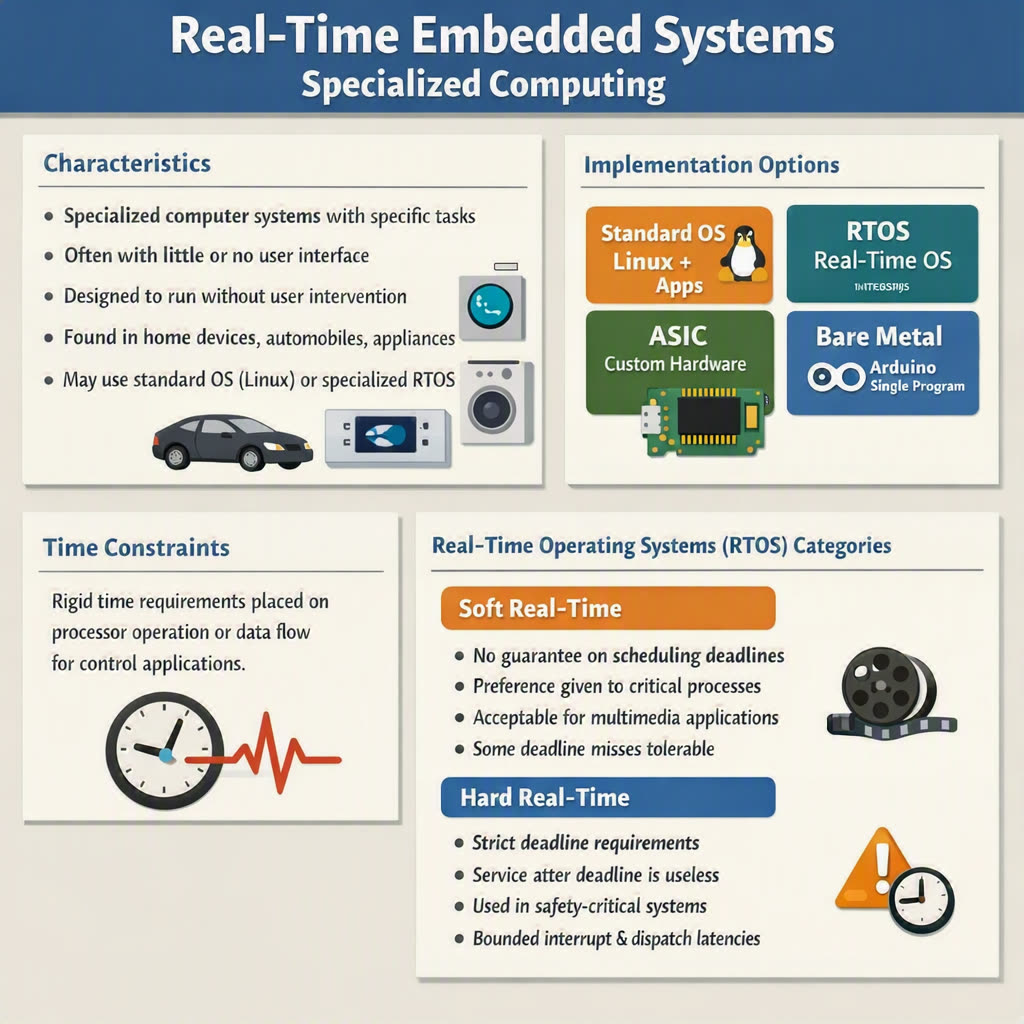
A real-time OS is correct only if it finishes within a deadline. Hard real-time (airbag controller, pacemaker) never misses; soft real-time (video streaming) tolerates rare misses. Mobile OSes — iOS (2007), Android (2008) — add touch interfaces, sensors and aggressive power management on top of UNIX-like kernels.
2000s – today · Virtualization and the cloud
Hypervisors run many complete OSes on one server; containers isolate applications that share one kernel. Cloud providers rent these out by the second. The OS has become a layer that is itself virtualized — the topic of Module 5.
Types of operating systems — summary
| Type | Goal | Switches CPU when… | Example |
|---|---|---|---|
| Batch | Throughput | a job finishes | IBM 7094 FMS, mainframe batch queues |
| Multiprogrammed | CPU utilization | the running job waits for I/O | IBM OS/360 |
| Time-sharing | Response time | I/O wait or time slice expires | UNIX, Linux, Windows |
| Distributed | Sharing, speed-up, reliability | work is spread across machines | Amoeba, cluster OSes |
| Real-time | Meet deadlines | a higher-priority task becomes ready | VxWorks, FreeRTOS, QNX |
| Mobile / embedded | Battery, touch, small size | like time-sharing, with power limits | Android, iOS |
A bank's nightly job processes all of the day's cheques with no operator input. Which type of system is this?
What does time-sharing add on top of multiprogramming?
An airbag controller must inflate within 30 ms of a crash, every time. It needs a…
Which generation first needed CPU scheduling and memory protection between jobs?