What is an operating system?
Video coming soon
What is an operating system?
Recorded by Dr. Krithika L.B. Slot m1-what-is-an-os
What an operating system is, what it manages, how the hardware underneath works, and how seventy years of problems shaped the OS you use today.
By the end of this session you should be able to:
A bare computer is a CPU that fetches instructions from memory, a few gigabytes of RAM, and a crowd of devices — disk, keyboard, display, network card — each with its own controller and its own peculiar protocol. Nobody wants to write a program that talks to a particular SSD controller just to save a file. The operating system (OS) is the software layer that sits between that hardware and the programs we actually want to run.
An operating system is a program that manages the computer's hardware, provides a basis for application programs, and acts as an intermediary between the user and the hardware. The one program running at all times on the computer is the kernel; everything else is either a system program (shipped with the OS, e.g. ls, the shell) or an application program.
Silberschatz describes a computer system as four components stacked on each other:
What an OS should do depends on who is asking.
The user wants convenience and performance. A laptop OS is tuned so one person gets an instant response; a phone OS adds touch and battery life; an embedded controller in a washing machine has almost no user view at all.
The OS owns CPU time, memory, storage and devices, and must divide them efficiently and fairly when many requests conflict.
The OS supervises running programs to prevent errors and improper use — a buggy program must not crash the machine or read another user's files.
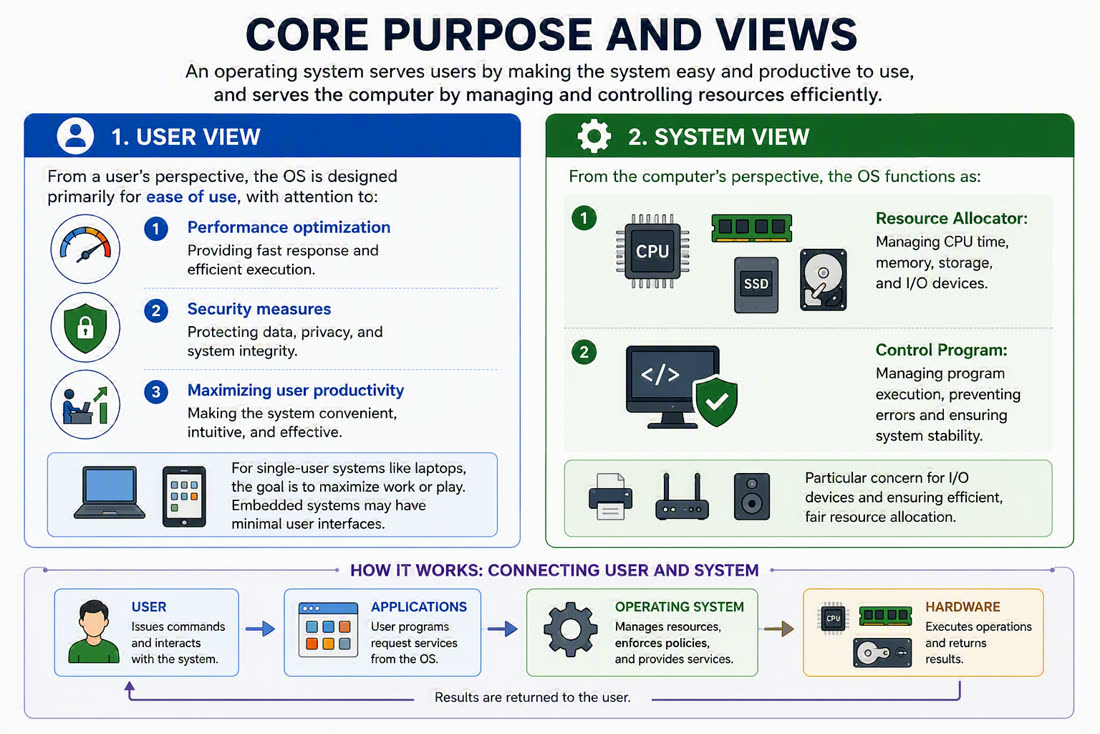
These two goals pull against each other — a perfectly fair scheduler may feel sluggish to the one person sitting at the keyboard, and strict protection costs some speed. Most of this course is about the mechanisms an OS uses to negotiate that tension.
Create and delete processes, schedule them on CPUs, let them synchronize and communicate. (Modules 2–3)
Track which parts of RAM are used by whom, decide which processes to bring in, allocate and free space. (Module 4)
Present storage as files and directories, map them onto disk blocks, control access. (Module 4)
Schedule disks, buffer and cache I/O, hide device quirks behind drivers. (Module 5)
Control which process or user may access which resource; defend against attacks. (Module 5)
Let one machine run many isolated OSes or containers. (Module 5)
Keep this list in mind: every later module zooms into one of these boxes.
A general-purpose computer has one or more CPUs and several device controllers connected through a common bus to shared memory. Each controller is in charge of one type of device and has a small local buffer and a few registers. For every controller the OS has a device driver that understands it and offers a uniform interface to the rest of the kernel.
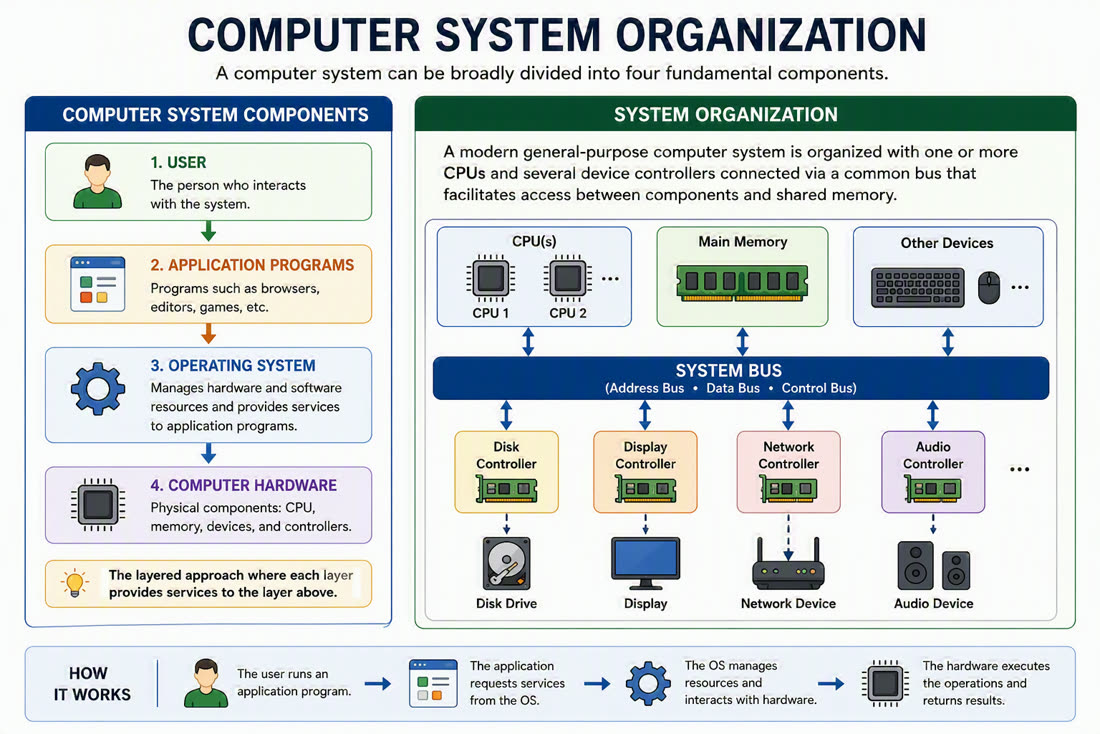
The CPU and the controllers run in parallel and compete for memory. When a controller finishes an operation it tells the CPU by raising an interrupt — the event-driven heartbeat of every OS. We study interrupts in detail in Session 1.4; for now remember that an OS is, at its core, a program that waits for events (interrupts, system calls, exceptions) and reacts to them.
Storage is organised as a hierarchy: registers → cache → main memory (volatile) → SSD/HDD → optical/tape (non-volatile). Faster levels are smaller and costlier; the OS constantly moves data between levels — an idea that returns in caching, paging and disk scheduling.
| Architecture | What it is | Why the OS cares |
|---|---|---|
| Single-processor | One general-purpose CPU with one core (plus special-purpose processors in devices). | Concurrency is an illusion created by switching between processes. |
| Multiprocessor (SMP) | Two or more CPUs share memory and bus; every CPU runs both OS and user code. | Real parallelism → the kernel itself needs locks (Module 3). |
| Multicore | Several cores on one chip, sharing caches. | Today's laptops and phones; scheduling must balance load across cores. |
| Clustered | Separate computers joined by a network, often sharing storage. | High availability and high-performance computing; leads to distributed OSes. |
Operating systems were not designed in one go — every feature you will meet in this course was invented to fix a specific bottleneck of the previous generation. Read the history as a chain of problem → idea.
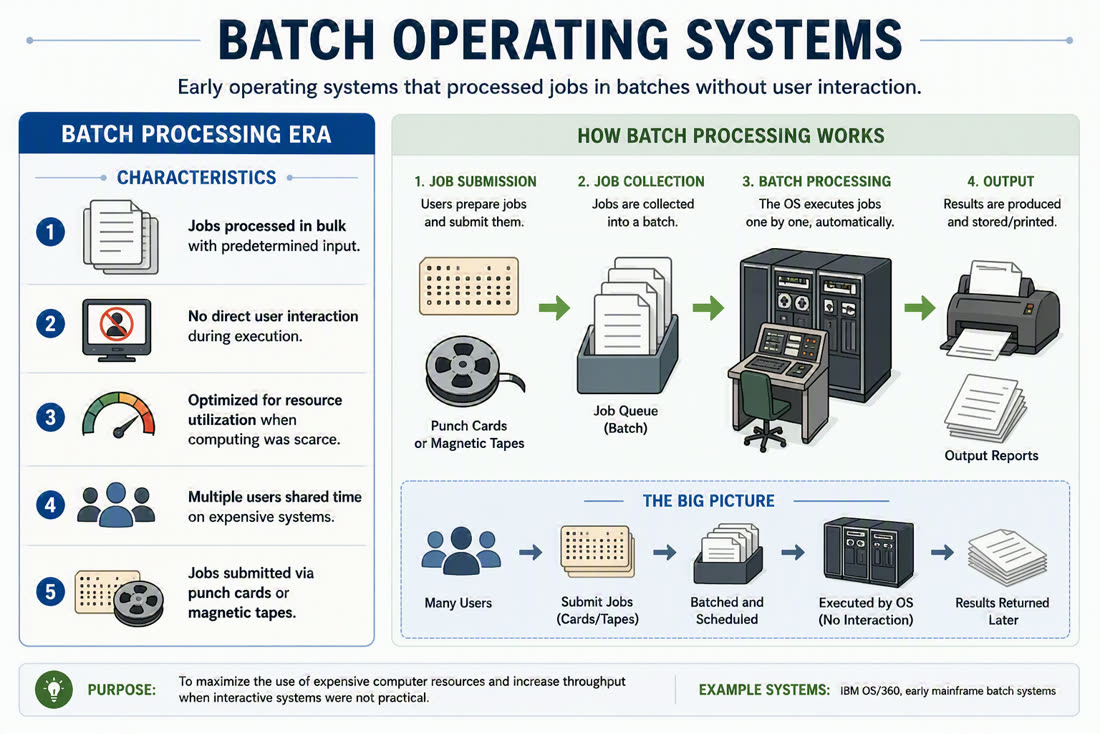
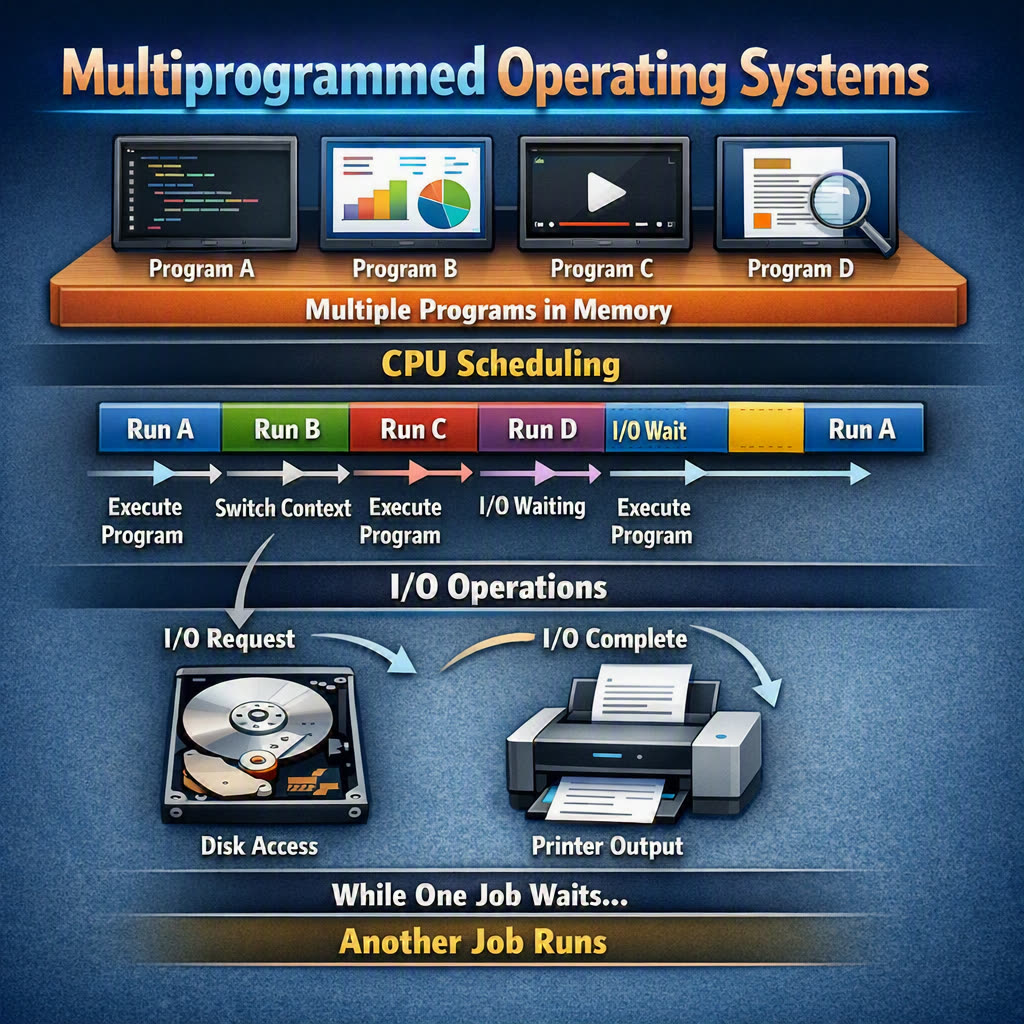
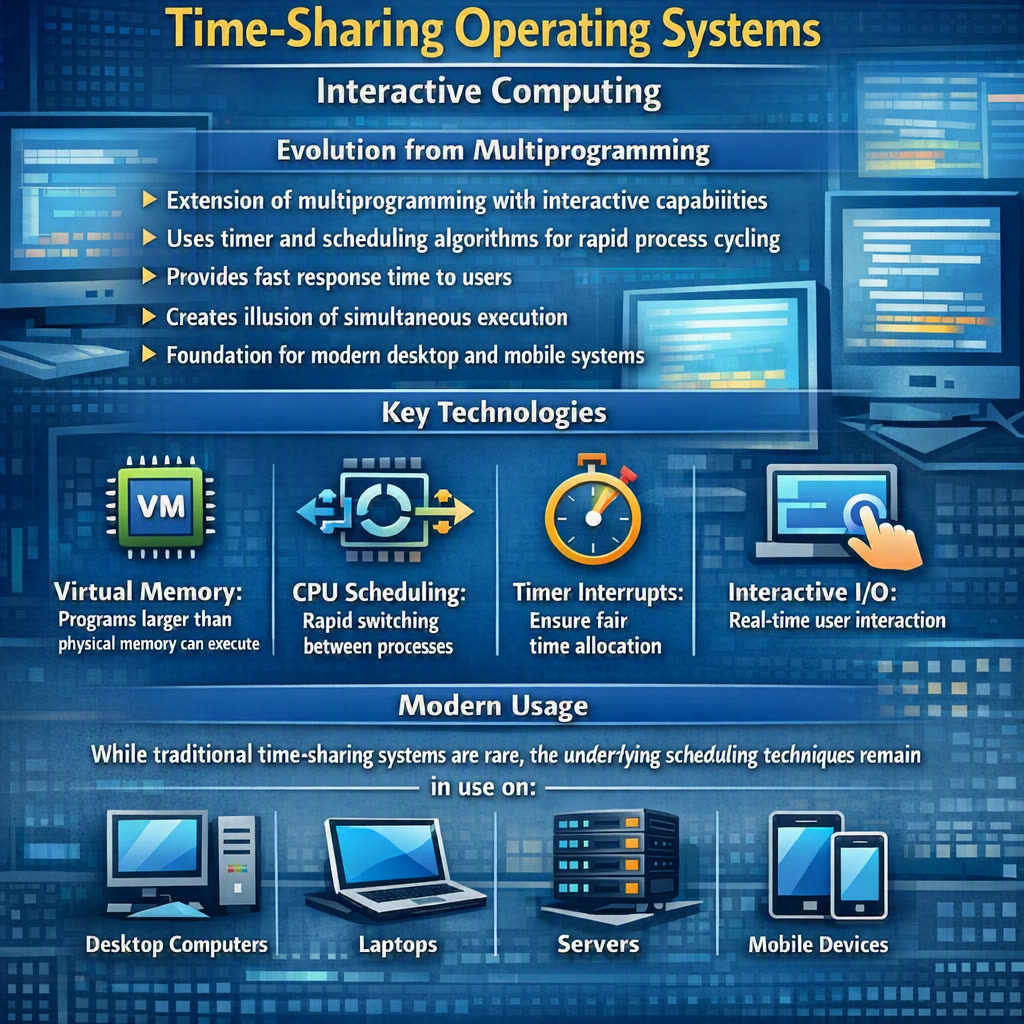
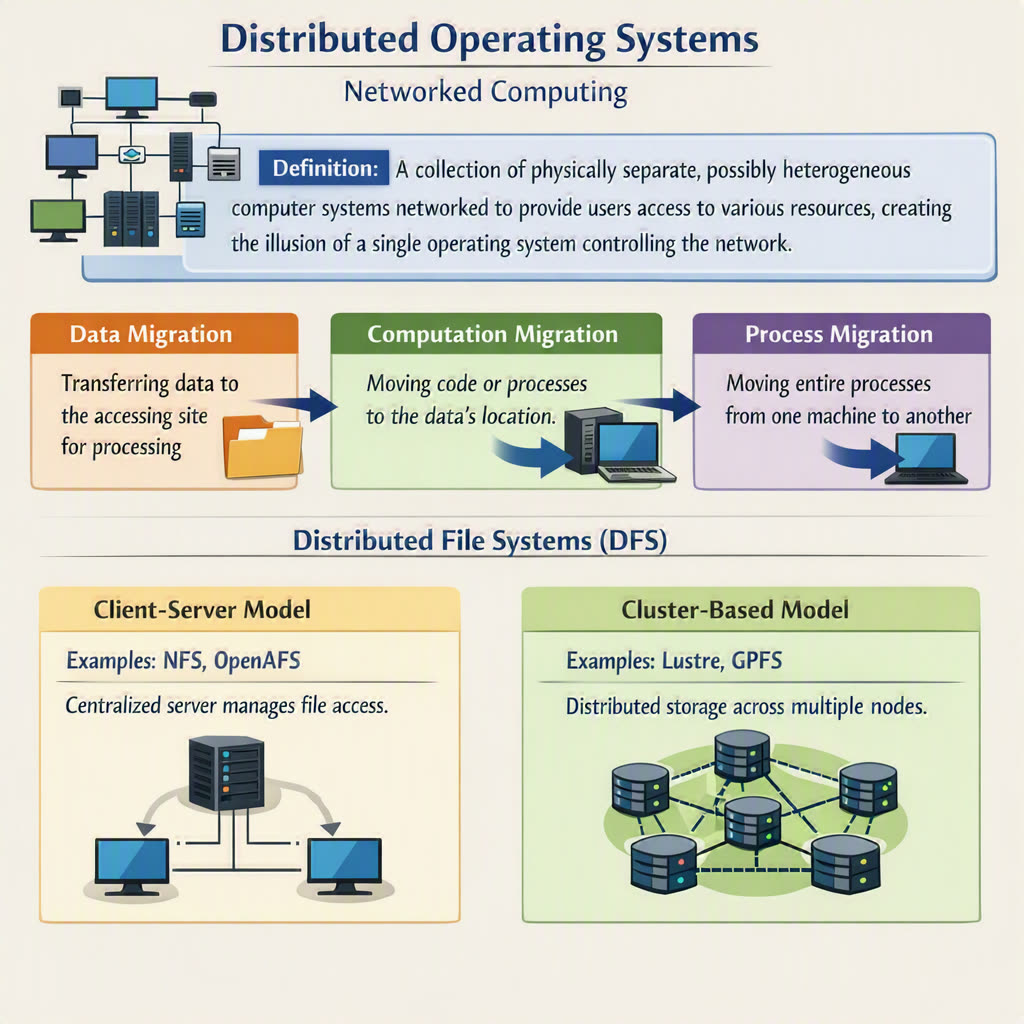
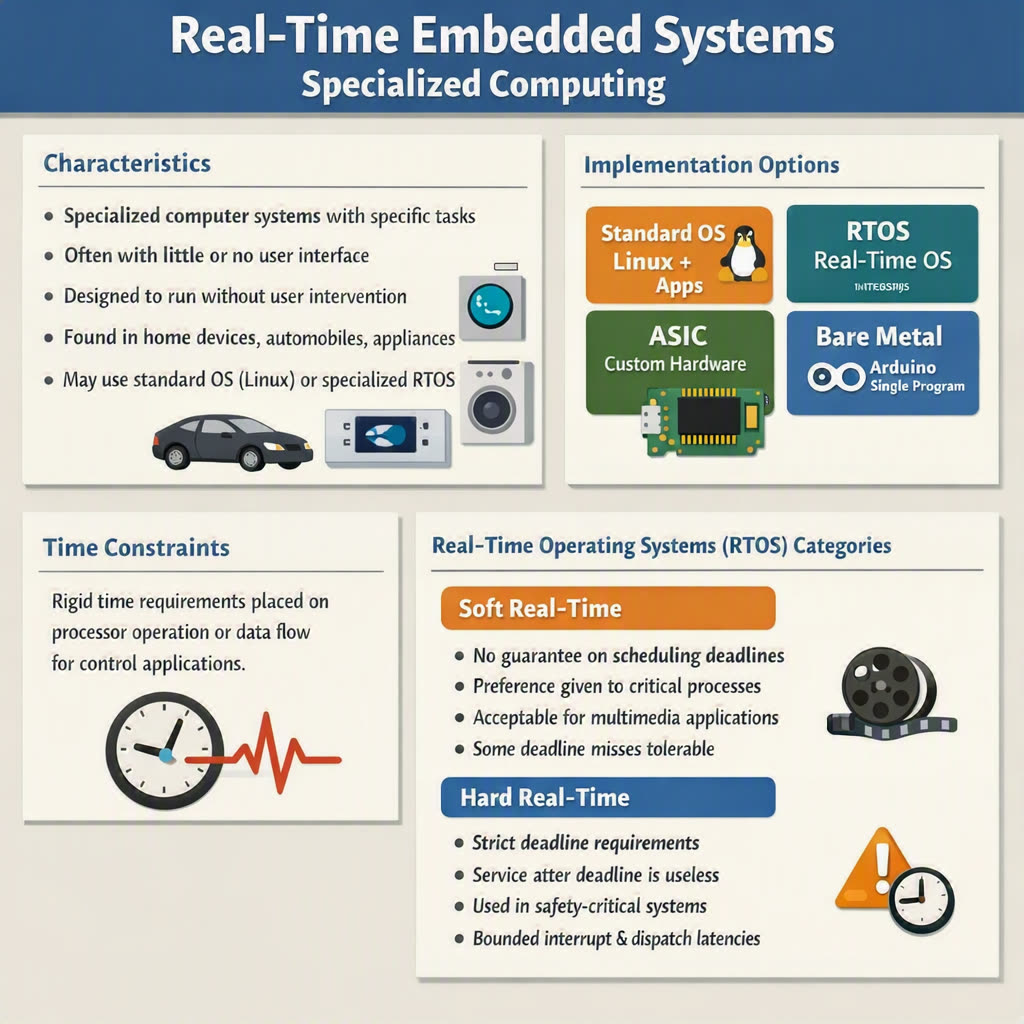
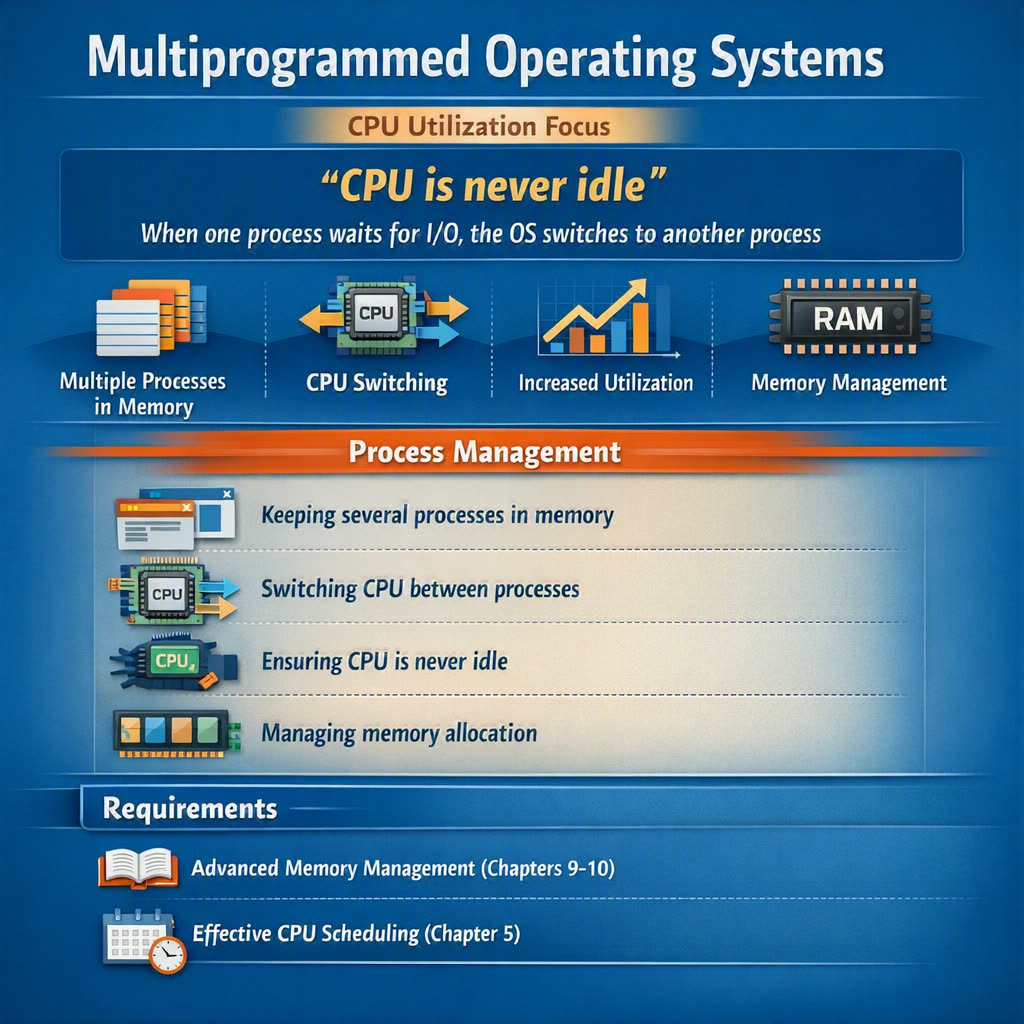
| Type | Main goal | User interaction | Example |
|---|---|---|---|
| Batch | Throughput of similar jobs | None while the job runs | IBM OS/360 batch, payroll runs |
| Multiprogrammed | CPU utilization | Little | Mainframe OSes of the 1960s |
| Time-sharing (multitasking) | Short response time | Interactive | UNIX, Linux, Windows |
| Distributed | Resource sharing, reliability, speed-up across machines | Interactive, transparent | Cluster/cloud OSes |
| Real-time (hard / soft) | Meet deadlines | Usually sensor-driven | VxWorks, FreeRTOS, QNX |
| Mobile / embedded | Battery life, touch, small footprint | Touch, voice | Android, iOS |
Suppose a job spends a fraction p = 0.8 of its time waiting for I/O. With n independent jobs in memory, the CPU is idle only when all of them wait, so (a simple probabilistic model, Tanenbaum):
\[ \text{CPU utilization} \approx 1 - p^{\,n} \]
n = 1 → 1 − 0.8 = 20% · n = 2 → 1 − 0.64 = 36% · n = 4 → 1 − 0.41 = 59% · n = 8 → 1 − 0.17 = 83%. Four times the utilization from the same hardware — which is exactly why OSes learned to manage many processes in memory at once.
What is an operating system?
Recorded by Dr. Krithika L.B. Slot m1-what-is-an-os
History of operating systems
Recorded by Dr. Krithika L.B. Slot m1-history-of-os
Work through these in order after the lecture — each one expands a part of the notes with diagrams, hover notes and a quick check.
Answer each question in your own words first, then reveal the model answer.
Revealed 0Because applications and system programs start and stop, but the kernel is loaded at boot and stays resident until shutdown, handling every interrupt, system call and exception. Everything else runs on top of it.
Resource allocator: which of two ready processes gets the CPU next, or which process loses a memory page when RAM is full. Control program: stopping a process that tries to execute a privileged instruction or access memory outside its own space.
It removed CPU idle time during I/O by keeping several jobs in memory. In exchange the OS now needed CPU scheduling, memory management (several jobs in RAM) and protection (jobs must not overwrite one another).
Both keep many jobs in memory. Multiprogramming switches only when a job waits (goal: utilization). Time-sharing also switches on a timer after a short time slice (goal: response time), so interactive users each feel they own the machine.
Need 1 − 0.9n ≥ 0.5 → 0.9n ≤ 0.5 → n ≥ 6.58, so 7 jobs.
So many responsibilities — scheduling, memory, files, devices, protection — have to live inside one program. How do designers organise millions of lines of kernel code without it collapsing under its own weight? That is the question of OS structure.
Continue to 1.2 — Operating-system structure →